Thing 3 – Social Media

If you look down the right side of this page you’ll see the live twitter feed for @CoachKubuske.
// This is my professional, and semi-personal, twitter feed that I use in my class. I have organized my other technology pieces (like wordpress and YouTube) to automatically update my Twitter with Tweets about new content added to this site. This is a chance to have technology do the work for you rather than you always feeling like this..

.

when it comes to new technology in the classroom.

The other advantage to your students having access to your twitter is that it:

  1. Gives them yet another avenue to contact you about class information (please remind your students about responsible use and the fact that it is inappropriate for them to ‘direct message’ you)
  2. Allows your students to ‘humanize’ you and see that you have hobbies and interests that they might have in common

Now, if you thought this information was helpful please let me know by tweeting at me
or by mentioning 13 for 13 in your own tweet! 
//

Thing 2 – Blogging

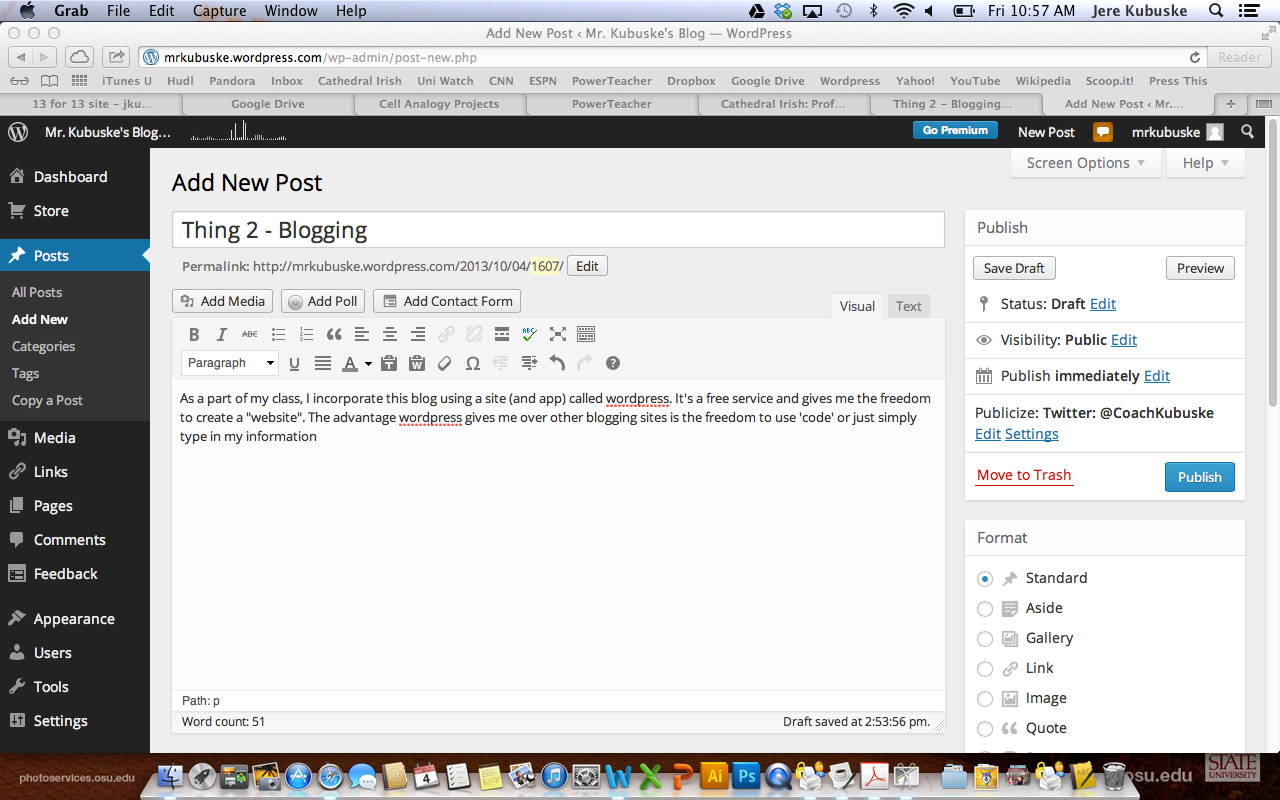
As a part of my class, I incorporate this blog using a site (and app) called wordpress. It’s a free service and gives me the freedom to create a “website”. WordPress allows users to customize their webpage, settings, themes, and other essential elements of web design. WordPress allows use to start at the novice level and still build a dynamic site. Blogging allows me to post daily content to a front page as well as “static” pages, or pages that don’t change on a daily basis. These are noted at the top in the tabs. This is where I post links to documents and answer keys.

FrontPage

The blog posts are the daily updates that read like articles on the front page. This would be information that is pertinent to that day and I would direct my students there at the beginning of a class. Its a great way to post information, task lists, and weblinks. Each post is tagged with a yellow marker showing the date, a title, and a category so I can keep organize posts for different classes on the same front page. When writing a blog post, it can be as simple as writing out a document…

Posting

I choose to use wordpress because it gives me the freedom to use ‘html’ code or as well giving me a lot of options to customize my page. The ‘dashboard’ is where I choose which options I want to change, use, or update…

DashboardYou can see on the left side some of the options. Posts and pages are for my information; Media is where I upload pictures or animations (you can also insert pictures from weblinks called “hotlinks”); Comments is where I can monitor student comments on my posts; Feedback are for polls; Appearance is where I customize the look.

I would strongly encourage other professional educators to start a blog of their own because of the flexibility it gives you to post daily information as well as static information.

Now, tell me what you think…

Unit 3 Post-Test: So what do you know NOW?

Click the link below to be swept back in time to the day you took the Unit 3 PreTest. I’d like you to retake the quiz and see how far you’ve come and what you have learned:

Unit 3: What do you think you already know

Reminders: Your Biology – Unit 3 Test is tomorrow! It will cover the following topics:

  • Cell Theory
  • Scientists who contributed
  • Types of cells (compare/contrast)
  • Cell Parts
  • Protein creation

Later today I’ll begin to post the projects you’ve created to YouTube and to this site. Feel free to come back and see what a great job you did.

Class Agenda for 9/25

Biology: Follow these directions to help better prepare you for your test, which is scheduled for October 4th (Next Friday!)

  1. Complete your cell coloring
  2. Do the cell crossword puzzles (Label the parts as you fill in the crossword)
  3. Follow the directions listed below to create your own review quiz!
    1. Go to drive.google.com
    2. at the very bottom of the page, click the link that says ‘desktop’
    3. if the page appears with a warning, click ‘continue to desktop version’
    4. to the left of the new page, click the red box that says ‘create’ and then click ‘form’ on the drop down menu
    5. It will then open a new page with a pop up box
      1. Title: Your Name Cell Review
      2. Choose a skin
      3. press ‘ok’
    6. For your first question, put “Name:” in the question title. Then change the question type to ‘text’. Click ‘required question’  and then press ‘done’.
    7. Now press ‘add item’ and start writing your 1st of 10 questions. You can choose to make the question multiple choice, a list, text, or a paragraph. When your first question is finished, press ‘done’.
    8. To add your next questions press ‘add item’ and repeat #6.
    9. Once you’ve made your 10th question click ‘View Live Form’ in the bar near the top. This will allow you to preview your quiz and see how others will view it. If it is ready to publish, click the bar at the top that says ‘drive.google.com’ and it will change to the link for your specific quiz. Copy the entire link.
    10. Now, at the bottom of this post you’ll see a link that says ‘# comments’, click that link
    11. When the comment box appears, paste your link. Below that put your school email address in the email box, and your name – period in the name box.
    12. Finally, once you have posted your quiz, complete 3 quizzes from other students in the same period as you. Feel free to complete more than the three or complete quizzes from other classes too.

Tomorrow, I’ll show you how to check your responses so we can make sure everyone completed their assignment. Good luck making your quiz and email me if you have any questions. Have a great Wednesday!

Chemistry: Complete the Ch. 25 discovery questions (available as a PDF on the Chem page) using the iBook. Feel free to work with a partner.

Origin of Eukaryotes

3pxff (1)

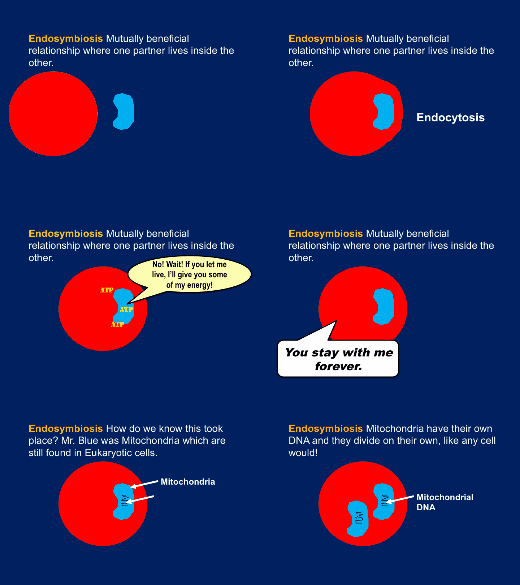
Yesterday we discussed prokaryotes; their characteristics and examples. Today, we’ll examine the eukaryotic cell and its characteristics. But, before we do, lets take a moment to theorize where Eukaryotes evolved from 1.5 billion years ago.

For today’s warm up, do the “Endosymbiosis” worksheet (pg.41 in yesterday’s packet)

Key ← Use it as a resource, not to copy

Then we’ll be taking some time to learn the parts of a Eukaryotic cell. For those of you in 9th period, I’m sorry that I cannot be there to help guide you. But please watch the YouTube Video or open the PPT in Keynote to complete the “Cell Part Chart” in a paper format or as a PDF.

On Monday, we’ll review the types of cells as well as this chart and the parts of a Eukaryotic cell. Then on Tuesday, we’ll look at some real-life eukaryotes under the microscope. Have a great last weekend of summer!

Test(s) Monday!

Honors Biology and Academic Chemistry…

Both classes have their Unit 2 test on Monday. I would really rather not do a test right after a weekend, but if you have concerns or questions please ask me on Friday! (remember tomorrow is our Day of Service and Friday’s classes are shortened for Counties and Mass)

The study guides are posted, and I will post answer keys to them this weekend.

Biology… pay special attention to the Vocab List.

Chemistry… pay special attention to the calculations (# of atoms, molar mass, % comp, and energy transfer).  Go back through my older posts (Like this one)for review.